Introduction
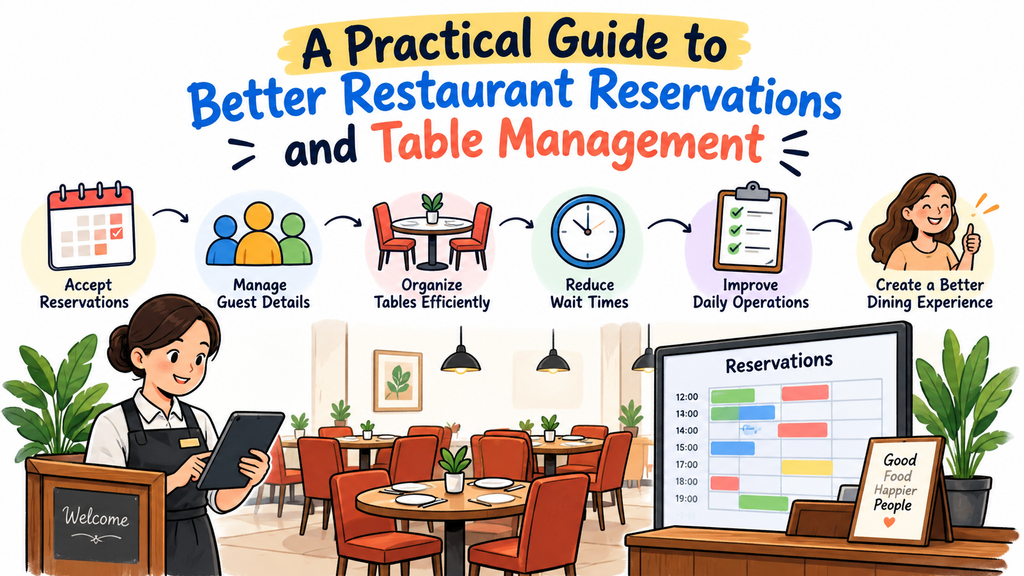
A great restaurant experience starts before guests taste their first dish. It begins when they choose a dining time, make a reservation, and arrive at the restaurant. A smooth booking process helps guests feel welcome from the start.
However, restaurant teams often face several challenges during busy hours. Guests may arrive early, groups may request larger tables, and walk-in customers may arrive without warning. Poor planning can create long waits and confusion.
Restaurant owners can prevent many of these problems with clear booking rules and smart table planning. Staff can manage guest requests, prepare tables, and keep service moving without adding extra pressure.
This guide explains practical ways to organize reservations, manage seating, reduce waiting times, and improve communication between restaurant teams.
Start with a Clear Reservation Process
Guests should understand how to reserve a table without asking several questions. A simple process saves time for both customers and staff.
Restaurants can offer booking options through their websites, phone calls, or other suitable channels. Each option should provide clear information about available times, party sizes, and special requests.
A good reservation process should include:
- A simple way to request a table.
- Clear information about available time slots.
- Accurate guest contact details.
- A confirmation message with the booking details.
- Instructions for changing or cancelling a reservation.
Staff should follow the same process for every booking channel. This approach reduces mistakes and helps everyone work with consistent information.
Collect Details That Help Your Team Prepare
A reservation involves more than a guest’s name and arrival time. The right details help staff prepare the correct table and deliver suitable service.
During the booking process, collect essential information such as:
- Guest name and contact number.
- Reservation date and time.
- Number of people in the group.
- Seating preferences, when available.
- Relevant accessibility needs.
- Special requests that the restaurant can reasonably support.
Avoid asking for unnecessary personal information. Focus on details that help the team prepare for the visit.
Staff should also review special requests before the guests arrive. For example, a family with a stroller may need more space. A large group may need tables arranged together.
Clear information helps the restaurant plan ahead instead of solving every issue at the last minute.
Match Table Sizes to Guest Groups
A table plan should reflect the restaurant’s actual seating options. Assigning tables without considering group size can waste space and create delays.
For example, seating two guests at a large table may prevent a larger party from using it later. At the same time, placing a large group at a small table can make dining uncomfortable.
Restaurant managers can improve table use by following a few simple rules:
- Match the table size to the number of guests.
- Keep flexible tables available when possible.
- Combine tables only when the layout allows it.
- Consider reservations that arrive close together.
- Leave enough room for staff and guests to move safely.
Managers should review the seating plan before each service period. This helps them identify possible conflicts and adjust assignments early.
Build a Seating Plan Around the Dining Room
A useful seating plan considers more than the number of tables. It also considers movement, comfort, and the needs of different guests.
Staff need clear paths between tables, kitchens, entrances, and service stations. Crowded walkways can slow service and make the dining area uncomfortable.
Restaurants should organize tables according to their layout and service style. For instance, a family-friendly restaurant may need space for high chairs. A small café may benefit from flexible seating for couples and solo visitors.
Managers can review these questions when planning the dining room:
- Can guests reach their seats comfortably?
- Can servers carry dishes without squeezing through narrow spaces?
- Can staff access tables without disturbing nearby diners?
- Can the team adjust the layout for larger groups?
- Does the plan leave suitable access for guests with mobility needs?
A well-planned room supports both guest comfort and staff efficiency.
Keep Table Status Accurate
A table may appear empty but still need cleaning or preparation. If staff assign it too early, guests may arrive before the table is ready.
Restaurants should use clear table statuses so everyone understands the current situation. A simple system might include:
| Table status | Meaning |
|---|---|
| Available | Staff can seat new guests. |
| Reserved | A guest has booked the table. |
| Occupied | Guests are currently dining. |
| Needs cleaning | Guests have left, but staff must clean the table. |
| Being prepared | Staff are setting the table for the next guests. |
Every team member should understand these labels. Staff should also update the status as soon as a table changes.
Accurate table information helps hosts make better seating decisions. It also reduces the chance of assigning the same table to multiple parties.
Manage Walk-In Guests Without Disrupting Bookings
Walk-in customers can bring extra business, but they also create planning challenges. Restaurants must welcome these guests without delaying people who already booked.
Managers should decide how to handle walk-ins before busy periods begin. The right approach depends on table capacity, reservation times, average dining duration, and staff availability.
A practical process can include these steps:
- Check which tables are ready.
- Review upcoming reservations before assigning a table.
- Give guests a realistic waiting estimate.
- Record waiting guests in an organized list.
- Update the list when tables become available.
- Inform guests if the expected wait changes.
Staff should avoid promising a table before checking the seating plan. Honest estimates help guests make informed choices and reduce frustration.
Restaurants can also review walk-in patterns over time. If many people arrive without reservations during certain periods, managers can use that information to improve staffing and table planning.
Create a Fair Plan for Delays and Late Arrivals
Even a well-organized restaurant may experience delays. Guests may arrive late, earlier tables may take longer than expected, or the kitchen may face an unexpected rush.
Restaurants should create clear rules for these situations. Staff need to know how long they can hold a reserved table and when they should contact a late guest.
The policy should explain:
- How the restaurant handles late arrivals.
- Whether guests should call if they expect a delay.
- How staff manage reservations when tables remain occupied.
- What happens when a guest requests a different time.
- How the team communicates updated waiting times.
Staff should apply these rules consistently and explain them politely. Flexible decisions may help in special situations, but the team should avoid making promises it cannot keep.
Clear policies give employees confidence and help guests understand what to expect.
Reduce No-Shows and Last-Minute Cancellations
No-shows can leave empty tables during busy periods. Last-minute cancellations can also make it harder to plan staff and kitchen preparation.
Restaurants can reduce these problems by improving communication before the reservation time. Confirmation messages should show the date, time, party size, and contact details.
Where appropriate, restaurants can also send reminders before a visit. These reminders give guests a chance to confirm, change, or cancel their bookings.
Useful practices include:
- Confirming reservations soon after guests book.
- Sending reminders at suitable times.
- Making cancellation instructions easy to understand.
- Recording no-show patterns.
- Reviewing policies for large groups and peak periods.
Restaurants should choose policies that suit their customers and business model. Any deposit or cancellation fee should have clear terms that guests can review before booking.
Use Technology to Keep Booking Information Organized
Paper diaries and manual lists may work for small operations. However, they can become harder to manage when several staff members handle bookings.
Restaurant reservation software can bring booking details into one organized system. Depending on the product, it may help staff review reservations, manage table assignments, track guest requests, and update booking information.
Before choosing a system, restaurant owners should identify their main problems. A small restaurant may need basic online bookings. A larger venue may need more detailed seating and waitlist tools.
Consider these questions before selecting software:
| Question | Why it matters |
|---|---|
| Can guests book online? | It gives customers another way to request a table. |
| Can staff view reservations together? | It helps prevent missed or duplicate bookings. |
| Can the team manage table assignments? | It supports better use of dining space. |
| Can staff update booking details easily? | It helps the team respond to changes. |
| Does the system fit the restaurant’s budget? | It helps control operating costs. |
| Can employees learn it quickly? | It reduces confusion during busy service. |
Technology should make the booking process easier. Restaurant owners should compare available features, costs, and support before making a decision.
Train Staff to Follow One Shared Process
Even useful software cannot solve every problem when staff follow different procedures. A clear team process helps employees make consistent decisions throughout the service.
Hosts, servers, managers, and other relevant staff should understand how reservations move from booking to seating. They should also know who handles changes and who updates table status.
A short pre-service meeting can help the team prepare. Managers can review large bookings, special requests, expected busy periods, and tables that need careful planning.
Staff should also know how to communicate changes. If a group arrives early, the host can check the seating plan before promising a table. If a delay affects another booking, the team can discuss suitable options.
Regular training helps new employees learn the process. It also gives experienced staff a chance to identify steps that no longer work well.
Track Results and Improve the Booking Process
Restaurant owners should review booking performance instead of relying only on daily impressions. A few simple measures can reveal where the team needs to improve.
Useful measures include:
- Reservation volume: How many bookings does the restaurant receive?
- No-show rate: How often do guests miss reservations without notice?
- Average waiting time: How long do guests wait before seating?
- Table turnover: How often do tables become available for new guests?
- Booking accuracy: How often do staff find missing or incorrect reservation details?
- Guest feedback: What do customers say about the booking and seating process?
Managers should review these results regularly. They can compare busy and quiet periods to understand when problems occur.
For example, long waits may point to poor table planning, slow table preparation, or reservations scheduled too close together. The team should investigate the cause before changing its process.
Small improvements can make a meaningful difference when staff apply them consistently.
Explore DineGlobe for Restaurant Booking Management
Restaurants that want to organize their booking process can explore reservation management solutions. The right platform should match the restaurant’s size, service style, budget, and daily needs.
DineGlobe focuses on restaurant reservation and booking management. Restaurant owners can explore the platform to learn whether its available services fit their requirements.
Visit DineGlobe to learn more.
Before choosing any reservation system, restaurant owners should review its current features, pricing, setup needs, and support options. They should also consider how easily their employees can use the system during busy service periods.
A suitable solution should help the team manage bookings more clearly. It should support the restaurant’s workflow rather than add unnecessary steps.
Common Reservation Management Mistakes to Avoid
Restaurants can improve their processes by recognizing common mistakes before they affect guests.
Accepting Too Many Reservations at One Time
A high number of bookings does not always mean better service. Restaurants should consider available tables, expected dining times, and staff capacity before accepting more reservations.
Ignoring Special Requests
A request may affect table selection or preparation. Staff should review important requests before guests arrive and explain any limits in advance.
Giving Unclear Waiting Estimates
Guests become frustrated when staff provide unrealistic arrival or seating times. Teams should check current table conditions and share honest updates.
Failing to Update Table Information
Outdated table statuses can lead to double assignments and unnecessary delays. Staff should update the system or seating chart as soon as conditions change.
Using Different Rules Across Booking Channels
Different procedures can confuse staff and guests. Restaurants should use consistent reservation rules for online, phone, and in-person bookings.
Frequently Asked Questions
1. What does restaurant reservation management mean?
Restaurant reservation management involves recording bookings, organizing table assignments, and preparing for guest arrivals. It helps staff plan seating and handle changes in an orderly way.
2. Why should restaurants plan tables before service?
Table planning helps restaurants match group sizes with available seating. It can also reduce conflicts between upcoming bookings and improve movement throughout the dining room.
3. How can a restaurant reduce guest waiting times?
Staff can review upcoming reservations, keep table statuses accurate, prepare tables promptly, and provide honest waiting estimates. Managers should also study busy periods and adjust their plans when needed.
4. What details should staff collect during a booking?
Staff usually need the guest’s name, contact details, date, time, and party size. They can also record relevant seating preferences and special requests.
5. Should restaurants accept walk-in customers?
Yes, when their capacity and reservation schedule allow it. Staff should check upcoming bookings before assigning a table and provide realistic waiting estimates.
6. How can reminders help restaurant bookings?
Reminders help guests review their reservation details before arrival. They may also encourage guests to inform the restaurant about cancellations or changes.
7. Can small restaurants benefit from reservation software?
Yes. A small restaurant may use booking software to organize reservations and reduce manual recordkeeping. Owners should choose a system that fits their needs and budget.
8. How should restaurants handle late arrivals?
Restaurants should establish a clear policy for late guests. Staff should explain the policy politely, contact guests when appropriate, and consider the effect on later reservations.
9. Which measures help restaurants review booking performance?
Restaurants can track reservation volume, no-shows, waiting times, table turnover, booking accuracy, and guest feedback. These measures help managers identify problems and test improvements.
10. How can DineGlobe help restaurant teams?
DineGlobe is a restaurant reservation and booking management platform. Restaurant owners can visit its website to review the available services and decide whether the platform suits their operations.
Final Thoughts
Better restaurant service depends on careful preparation, clear communication, and reliable booking records. Restaurants do not need to change every process at once. They can begin with accurate reservations, sensible table assignments, and clear rules for delays.
Next, managers can train their teams to follow the same procedures. They can also review guest feedback and booking results to find areas for improvement.
A well-organized reservation process helps staff make better decisions throughout the day. It also gives guests a clearer, more comfortable start to their dining experience.
Restaurant owners should choose tools and procedures that suit their own operations. With steady improvements, they can manage tables more effectively and help their teams deliver a more welcoming service.
